It’s like reading a foreign language when you’re shopping for foreign data online. Plans refer to QR codes, hotspots, regional coverage and carrier locks and what is sometimes not clear is which words are actually significant. Even if you have heard about eSIM technology but don’t know what terms to look out for and what they mean for your trip, this plain English glossary of the 10 most common terms you will come across, and what they mean.
1. eSIM
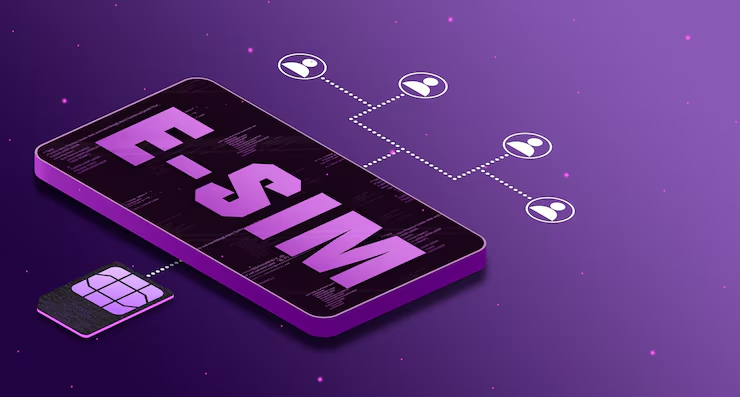
The ‘e‘ signifies embedded. An eSIM is a virtual SIM card that is stored within your phone, meaning it doesn’t require a physical SIM card to be inserted. You have a mobile plan, install it and your device joins a local network. All other settings are normal, as are your apps and your WhatsApp number.
2. Physical SIM
These are the small cards that you insert into a tray located on the side of your cell phone. It’s also a plastic waste product, can be lost, broken, and forgotten in your hotel room, and performs the same function as an eSIM. Importantly, if you install an eSIM, your physical SIM will not be turned off. The two may sit next to each other.
3. Activation
The term activation refers to the time when your data plan begins. For the majority of eSIMs, installation and activation happen simultaneously: Once you turn on the eSIM in your settings and your phone detects a supported network, the plan used for the eSIM starts. Hence, one of the popular tips is to put it at home but keep it switched off until you reach your destination.
4. QR Code
A QR code is one of three ways to install an eSIM. After you buy, you receive it in an email or in the provider’s app. You can scan it with your phone, or on iOS 17.4 and later, press and hold it to start installation. Keep a copy somewhere safe in case you need it again.
The other two methods are automatic installation through the provider’s app (available on iOS 17.4+ and Android 10+) and manual codes, where you type the details into your phone’s SIM or network settings yourself.
5. Carrier Lock
Some phones are sold tied to a single mobile operator. A locked phone may refuse a plan from another provider, which means an eSIM will not work until the phone is unlocked. Before you buy, check that your device is carrier-unlocked, and contact your operator early if it is not, because the process can take a few days.
6. Data Roaming
Roaming means using mobile data on a network that is not your home network. It is the setting that quietly drives up bills abroad. When you travel with an eSIM, you switch data roaming on for the eSIM line and off for your home SIM. That way your data runs through the prepaid plan and your regular carrier has no reason to charge you.
7. Data-Only Plan
Most travel eSIMs provide mobile data and nothing else: no local phone number and no standard calls or texts. If that sounds limiting, remember that WhatsApp, FaceTime and similar apps handle calls and messages over the internet. Your own number stays on your home SIM. Some plans do include a number, and if so you can choose to enable it during setup.
8. Regional Plan
A regional plan covers several destinations with a single eSIM, which is handy on a route that crosses borders. Holafly, for example, lists regional options alongside its single-country ones. One practical point: regional and global plans can switch on automatically, so install them no earlier than the day before you travel.
9. Hotspot
A hotspot allows your phone to share its mobile data with another device, like a laptop, or another traveler’s phone. Not all plans permit it, and the limit on what you can share differs by plan, so find out what your plan says about what you can share for your destination before depending on it.
10. Unlimited Data and Fair Usage
Unlimited – you will not have a hard-coded amount of gigabytes available to watch. But, it’s worth reading into the fine print as some networks have a fair usage policy which may affect your speed for a short period if you are using a huge amount of data in a short period. Holafly offers plans that feature unlimited data and speeds up to 5G (where supported by the local network) in over 200 destinations.
Dual SIM: Bonus Term
Dual SIM basically refers to a handset that supports two phone lines. When using eSIM, an iPhone can support up to eight plans and simultaneously activate two of them. Android support – Model and brand specific. Search and find the “SIM Manager” in the settings on Samsung and “Network & internet” on Pixel.
Is an eSIM – a better signal?
No, it is important to make it clear. The signal will depend on the mobile network you’re connected to, not on the type of SIM. An eSIM makes things more convenient and is often more cost-effective than a SIM, but not always more covered.
Quick Compatibility Check
The majority of contemporary mobile phones will accept eSIM. However, every iPhone since XS and many Samsung, Google Pixel, Motorola and Xiaomi phones do, and that is not to say that every phone in each range does. Tablets, smartwatches and laptops might also be suitable. When in doubt, check your model number online prior to purchase.
Integrating the concepts.
- Here is a short explanation of the relationship of these terms to an average trip:
- Make sure your phone is unlocked and eSIM is supported.
- Select a travel approach and the number of days.
- Set it up at home via Wi-Fi, and have the QR code handy.
- Only turn it ON when you land; after landing, turn ON the data roaming for that line.
- Switch off the data roaming feature for the mobile provider that you use at home.
Final Thoughts
After the jargon, an eSIM is easy to understand: It’s a digital SIM that arrives in seconds, is not lost and helps you to avoid expensive roaming charges. Use this glossary when looking at the plans, for you will know exactly what each of the features means. All it takes is a few minutes of preparation at home to get you on the ground online.